
Technical Writing Scouting Report: July 2026
Words n Logic · Scouting Report Technical Writing Scouting Report: July 2026 Edition Fresh technical writing jobs posted in the San Francisco Bay Area this month, the skills employers keep asking for, and where AI is showing up in the job requirements themselves. Salary spotlight This month’s snapshot focuses on the jobs that surfaced in the Bay Area and the signals they send about pay, experience, and the growing role of AI in the work itself. The salary chart below gives a quick read on the range of compensation across the postings, while the rest of the report explains how those figures connect to the broader market. Base salary range, low to high $84,000–$286,000 7 of 8 postings disclosed a range (only Xona did not) · sorted by top-of-range, highest first · gold bar is the one leadership-track role, not an apples-to-apples IC comparison GoogleHead of AI Docs $205K–$286K‡ Stripe $135.8K–$203.8K Mytra $145K–$160K Ridgeline $128K–$159.5K Tesla $84K–$156K* Salesforce $90.2K–$124K† Supermicro $107K–$117K Xona Not disclosed $0$50K$100K$150K$200K$250K$300K *Tesla’s figure excludes cash and stock awards layered on top of base. †Salesforce’s range shown is its San Francisco/New York metro band specifically, not a confirmed location. ‡Google’s figure is base only; it also includes a 25% bonus target plus equity, and it’s the only people-manager role in this batch. Median band across the 7 disclosed: about $128K low, $160K high, almost unchanged from last edition even with a $286K posting added. Outliers stretch the ceiling; they don’t move the middle. At a glance These figures are a quick read on the month’s mix of location, pay, and AI expectations; they’re directional rather than a census, but they help show where the market seems to be putting pressure right now. 8 Bay Area roles tracked $128K–$160K Median salary band (midpoint of the 7 disclosed) 4 / 2 / 2 Onsite / hybrid / unspecified 4 of 8 Explicitly require AI-tool fluency The roles Eight full-time roles in the Bay Area within the last 30 days, each broken down the same way so you can compare at a glance. Seven are first-time postings; one (Supermicro) is a repost I’m including on purpose, since I work there. One (Google) is dual-posted to Sunnyvale, CA and Kirkland, WA; I’m counting it as a Bay Area role because of the Sunnyvale option. 01 / Aerospace Technical Writer – Spacecraft & Manufacturing Xona · Burlingame, CA Early-stage aerospace startup building Pulsar, a low-Earth-orbit satellite constellation for centimeter-level positioning: a next-gen, backwards-compatible alternative to GPS. Onsite 4–7 yrs experience Salary not listed First TW hire Xona’s first technical writer, spanning satellite engineering documentation (ICDs, test procedures, design specs) and manufacturing work instructions/SOPs on the production floor, plus contract deliverables and mission-ops docs. Skills Work instructions, SOPs, ICDs, document control, Confluence, Google Workspace Qualifications US citizen / permanent resident / ITAR-eligible required; self-directed Department Embedded with the Program team, cross-functional Benefits Not listed View posting → 02 / Fintech Technical Writer, Docs Content Stripe · Hybrid / Remote-eligible Financial infrastructure platform for businesses: payments and revenue tooling used from startups to the largest enterprises. Hybrid 4+ yrs experience $135,800–$203,800 Writes conceptual overviews, task-based guides, API docs, and tutorials for docs.stripe.com across both developer and everyday-user audiences, including content-quality work via user feedback and performance analysis. Skills HTML, Markdown, Git, VS Code Qualifications Collaborates well with other writers; backend language exposure a plus Department Stripe Docs Content team Benefits Equity, bonus, 401(k), medical/dental/vision, wellness stipend View posting → 03 / Fintech / Investment Software Senior Technical Writer Ridgeline · San Ramon, CA Front-to-back cloud system of record for investment managers, founded by Dave Duffield (co-founder, PeopleSoft and Workday). Hybrid · 3 days/wk 5+ yrs experience $128,000–$159,500 Owns user guides, release notes, API reference, UI text, and in-app guidance using structured, topic-based authoring for consistency and reuse across the doc set. Skills DITA, XML-structured authoring, Heretto/CCMS, Git/GitHub, Confluence Qualifications SaaS/enterprise background; fintech and AI-in-content-workflow knowledge a bonus Department Reports to Director of Technical Documentation & Content Experience Benefits Stock plan, unlimited vacation, $0-cost employee insurance View posting → 04 / Hardware Technical Writer Supermicro · San Jose, CA Top-tier provider of servers, storage, and networking hardware for data centers, cloud, and HPC: one of Silicon Valley’s fastest-growing hardware companies. Onsite 5+ yrs experience $107,000–$117,000 Repost, my employer Produces and revises user manuals, quick-reference guides, and software manuals for motherboards, working across engineering, sales, and customers on content and schedules. Skills MadCap Flare (required), Adobe InDesign/Illustrator, MS Project Qualifications BA in English or Technical Writing Department Hardware department (motherboard documentation) Benefits Unspecified comprehensive package; bonus/equity eligible A note from me This is a repost, the one exception to this edition’s first-time-postings rule, and I’m including it because I work at Supermicro. If you meet the minimum requirements and want to send me your resume, or would just like a quick 10-minute call about the role and the culture, message me on LinkedIn: linkedin.com/in/doug-purcell. View posting → 05 / Clean Energy Sr Technical Writer, Energy Tesla · Hayward, CA Electric vehicle and clean-energy company; this role sits on the Tesla Energy team (Megapack, Superchargers). Onsite 4+ yrs experience $84,000–$156,000 + equity Bridges Tesla’s global service-technician network with engineering, and explicitly optimizes content for AI parsing (structure, metadata) alongside human readers. Skills HTML, XML, DITA, JIRA, SharePoint, visual/photo content creation Qualifications Active AI-tool use; comfortable with frequent priority changes Department Tesla Energy team, partners with diagnostics & training Benefits $0-deduction medical option, HSA match, 401(k)+ESPP, disability, commuter benefits View posting → 06 / Enterprise SaaS Technical Writer – Commerce Cloud Salesforce · Office location not stated Enterprise CRM and cloud software platform; role sits on the Commerce Cloud product line. Location/arrangement not stated Entry-level / new grad Posted Jul 7, 2026 Writes docs, tutorials, guides, code samples, API references, and in-app assistance for developer and admin audiences, and is the most explicit posting in this batch about using AI tools (Cursor, Claude) as part of the job itself. Skills Markdown, XML, DITA, source control, Cursor &
AI Won’t Replace You — But It Will Change Everything: My Top 3 Takeaways from the Write the Docs Bay Area Panel
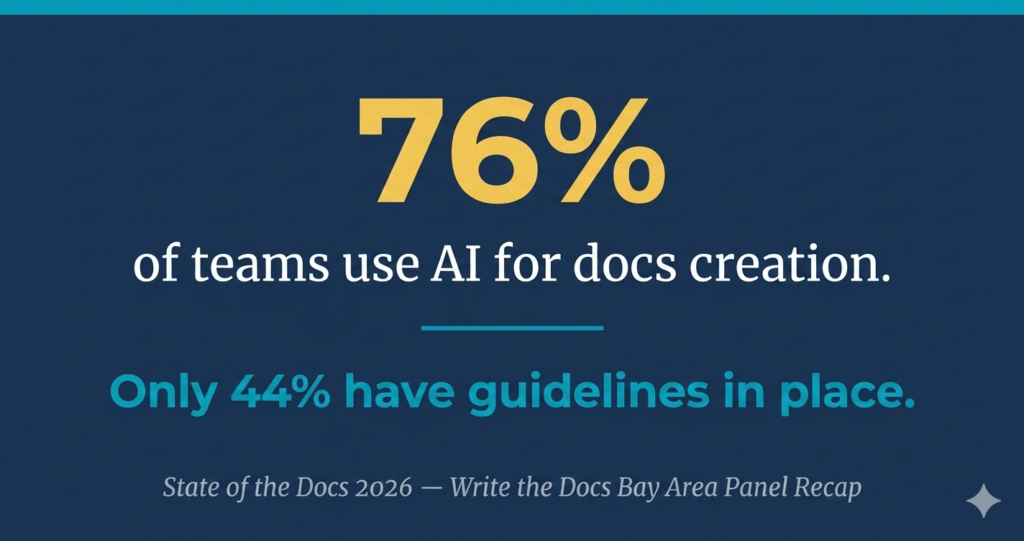
TL;DR: Write the Docs Bay Area Panel — May 7, 2026 Event: State of the Docs Panel at Mindspace SF, 575 Market Street, sponsored by Gitbook Panelists: Sarah Dugan (Gitbook), Priya Ayyar, Paul Gustafson, Sarah Deaton | Moderated by Tal Gluck Most striking data point: 76% of teams use AI for docs creation. Only 44% have governance guidelines in place Top new skill according to State of the Docs 2026: Proofreading and content editing, cited by 34% of respondents Strongest panelist quote: “Software is cheap. Taste is expensive.” — Sarah Deaton Consensus theme: AI is accelerating output, but expertise is still critical for validating what AI produces Bottom line: Technical writing is not dying. Writers who can evaluate, validate, and improve AI output will have the advantage By Doug Purcell | Write the Docs Bay Area Jump to a Section About the Event Takeaway #1: Subject Matter Expertise Is More Valuable Than Ever Takeaway #2: Documentation Metrics Are Evolving Takeaway #3: AI Governance Is Real — and Most Teams Are Behind What This Means for Technical Writers About the Event The Write the Docs Bay Area State of the Docs Panel — sponsored by Gitbook — took place on May 7, 2026, and it was a memorable evening for the technical writing community in the San Francisco Bay Area. I arrived at the Mindspace coworking space at 575 Market Street around 5:45 PM. After checking in with security, I rode the elevator to the fourth floor, where the Mindspace logo greeted me as I stepped off. I followed the sound of conversation to the event space, where I connected with my co-organizer, Tal Gluck from Gitbook, before making my way around the room. I had a great conversation with Elad from Gitbook and introduced myself to Sarah Dugan — a seasoned technical writer who had just joined Gitbook as their lead technical writer and was one of the evening’s panelists. Tal was kind enough to ask me to sign his copy of the State of the Docs 2026 report and gifted me a copy as a keepsake — a thoughtful gesture I was genuinely happy to receive. I’m proud to be quoted in the 2026 report, and I’ve also written a separate post with my five key takeaways from the report itself, which you can read here: State of the Docs 2026 Takeaways. Takeaway #1: Subject Matter Expertise Is More Valuable Than Ever As AI tools become more prevalent in technical writing workflows, it’s tempting to assume they’ve reduced the need for deep expertise. They haven’t. AI can hallucinate. It can generate output that sounds authoritative but contains factual errors — which is exactly why a human-in-the-loop approach remains essential for ensuring quality. This theme came up directly in response to the panel question: “What have you found makes the difference in getting good output from AI tools?” The answers were telling. Sarah Dugan put it simply: “Expertise is still critical.” Priya Ayyar added: “Know what good looks like.” These aren’t abstract ideas. Consider what this means in practice: if you’re a technical writer using a large language model (LLM) to generate documentation, your professional experience is what allows you to evaluate whether that output is accurate, complete, and well-structured. Without that foundation, you have no reliable way to judge the quality of what the AI produces. The tool is only as effective as the person guiding it. Sarah Deaton offered a practical path forward: “Keep iterating. The output doesn’t have to be the output. Push back. Ask questions.” Additional strategies mentioned by panelists included adding custom rules to your AI workflow, refining your process over time, and building reusable templates for recurring documentation tasks. Takeaway #2: Documentation Metrics Are Evolving — and They Reveal More Than You’d Expect Measuring the value of technical documentation has been a persistent challenge in the industry, and it was one of the most thought-provoking topics of the evening. The State of the Docs 2026 report dedicates a full section to this question, covering the top metrics documentation teams track as well as internal process benchmarks. Read the measuring docs success section here. Sarah Dugan offered a perspective that stuck with me: documentation analytics don’t just measure content engagement — “they can reveal product insights and user behavior.” This reframe matters. In my own experience, I’ve seen product managers mine community forums and support tickets to identify recurring pain points and inform their product roadmap. Technical documentation analytics can serve a similar — and often underutilized — function. For example, if search analytics from your docs show a spike in queries for “export CSV,” that might signal the feature is hard to locate in the UI and could benefit from a UX review. A surge in searches for “API authentication failed” could point to friction in the onboarding experience. These are insights that traditional product instrumentation tools often miss. Paul Gustafson added another dimension: he noted that documentation is increasingly being consumed by machines rather than humans, which means traditional readership metrics are declining in relevance. What’s rising in their place are metrics tied to business outcomes — specifically, things like time to onboard and conversion from evaluation to purchase. Takeaway #3: AI Governance in Documentation Is Real — and Most Teams Are Behind Moderator Tal Gluck opened this segment of the panel with a striking data point from the State of the Docs 2026 report: 76% of teams use AI for docs creation. Only 44% have guidelines in place. That gap is significant. Sarah Dugan noted that even when style guidelines exist, AI agents don’t always follow them: “Agents don’t know the way we know.” Her recommended guardrail: build validation checks into each step of your AI workflow and only accept output that genuinely matches your standards. This resonates with me. Even when AI speeds up documentation production, the review process still requires a human. If your organization cares about accuracy and reputation, AI-generated content needs to be reviewed by an experienced
Technical Writing Scouting Report: May 7, 2026 Edition
TL;DR: May 2026 Highlights 12 jobs curated across the SF Bay Area and remote, ranging from $60K (Rippling, entry-level) to $332K (Salesforce, Lead/Principal Trailhead) Highest-paying traditional TW role this edition: Salesforce Lead/Principal Technical Writer (Trailhead) at $180K-$332K (SF metro, hybrid) Most experience-heavy role: Zoox Manufacturing Operations, requiring 10-15 years Top skill in job listings: Docs-as-code (Git, GitHub, Markdown), appearing in 6 of 12 roles Fastest-rising requirement: AI tool fluency, now explicit in 5 of 12 listings and no longer optional Market signal: One-third of roles are onsite. Fully remote options have narrowed since 2022-2023 Biggest trend this month: AI agents now account for over 40% of documentation traffic, up from less than 10% a year ago. Your docs are serving two audiences at once Bottom line: The field is not shrinking. It is stratifying. Domain expertise and AI workflow fluency are separating good salaries from great ones By Doug Purcell | Write the Docs Bay Area Jump to a Section About This Report Job Quick Reference Table San Francisco Jobs South Bay and East Bay Jobs Remote Jobs Data Analysis: What the May 2026 Job Market Is Telling Us Trends to Watch: May 2026 About This Report As the organizer for Write the Docs Bay Area, the Scouting Report is a community resource I put together for technical writers in the San Francisco Bay Area and beyond. Each edition features a carefully curated list of recently posted jobs, plus analysis of the trends shaping the profession right now. Think of it as your monthly briefing, whether you are actively job hunting or just keeping a pulse on the market. May 2026 Job Quick Reference # Job Title Company Salary Range Exp. Required Location Work Arrangement 1 Data Center Process Engineer (Technical Writer) FluidStack $120K-$160K 5+ years San Francisco, CA Onsite 2 Copy Lead, Enterprise Anthropic $255K-$320K 10+ years San Francisco, CA Hybrid (25% min) 3 Lead/Principal Technical Writer (Trailhead) Salesforce $180,200-$332,600 (SF metro) | $150,100-$304,700 (standard) 10+ years San Francisco or Palo Alto, CA Hybrid 4 Technical Writer Rippling $70K-$105K 2+ years Remote (US) Remote 5 Technical Writer – AI HCLTech $75K-$116K 3+ years Mountain View, CA Onsite 6 Technical Writer – Hardware Nutanix $74K-$150K 2-3 years San Jose, CA Hybrid (3 days/week) 7 Senior Technical Writer LaunchDarkly $116K-$188K 5+ years Remote (US) Remote 8 Technical Writer Tailscale $86K-$107K 3+ years Remote (US) Remote 9 Senior Technical Writer, Manufacturing Operations Zoox $133K-$167K 10-15 years Fremont, CA Not listed 10 Sr. Technical Writer Illumio $125K-$144K 7-9 years Sunnyvale, CA Onsite (4 days/week) 11 Technical Writer Intuitive Surgical $120,500-$173,500 (Region 1) / $102,400-$147,500 (Region 2) 5-8 years Sunnyvale, CA Onsite 12 Principal Technical Writer I Elastic $128K-$243K 7+ years Remote (US) Remote San Francisco Jobs Data Center Process Engineer (Technical Writer) | FluidStack Location: San Francisco, CA | Onsite Salary: $120,000-$160,000 Experience: 5+ years | Industrial or operations-heavy environments (manufacturing, energy, utilities, oil and gas) Posted: May 2026 FluidStack is hiring a technical writer embedded in data center operations, making it a rare role at the intersection of industrial documentation and cloud infrastructure. Strong fit for writers with a background in operations, engineering, or energy environments rather than typical SaaS docs. Apply at FluidStack Copy Lead, Enterprise | Anthropic Location: San Francisco, CA | Hybrid (minimum 25% in-office) Salary: $255,000-$320,000 Experience: 10+ years | B2B campaign development and copywriting across multiple formats Nice to have: Enterprise and developer audience experience, messaging framework background, strong design partnership skills Posted: May 2026 Note: This is a marketing and brand copywriting role, not a traditional technical writing position. It is one of the highest-paying content roles in the Bay Area right now. You will shape enterprise campaign copy, solutions pages, event materials, and performance marketing content at one of the most prominent AI labs in the world. Apply on LinkedIn Lead/Principal Technical Writer (Trailhead) | Salesforce Location: San Francisco or Palo Alto, CA | Hybrid Salary: $180,200-$332,600 (SF metro) | $150,100-$304,700 (standard) Experience: 10+ years | End-to-end content development including strategic planning, writing, and editorial oversight Tools: XML/DITA, Markdown, Git, generative AI tools Nice to have: AI-first mindset, executive presence, data-driven approach to content performance, mentorship experience Posted: May 2026 Salesforce is hiring at the Lead or Principal level for their Trailhead team, focused on Missionforce strategy. You will create release notes, help articles, implementation guides, and Trailhead learning modules, while contributing to AI in CX research and enablement. This role also requires the ability to create technical diagrams including process flows and database architecture. Apply at Salesforce South Bay and East Bay Jobs Technical Writer – AI | HCLTech Location: Mountain View, CA | Onsite Salary: $75,000-$116,000 Experience: 3+ years | Robotics, engineering, or scientific research background preferred Tools: CMS, AI/LLM writing tools, prompt engineering Posted: Approximately 3 weeks ago (163 applicants) HCLTech is hiring an AI-focused technical writer to create SOPs, process docs, test reports, and maintenance guides. Notably, the job description explicitly expects you to use prompt engineering and LLM tools as part of your daily workflow, not just as a nice-to-have. Strong fit for writers interested in the robotics and AI research space. Apply on LinkedIn Technical Writer – Hardware | Nutanix Location: San Jose, CA | Hybrid (3 days/week onsite) Salary: $74,400-$150,000 Experience: 2-3 years | Server, networking, and storage hardware/software knowledge Tools: DITA XML, Git/GitHub, CI/CD Nice to have: UNIX/Linux, storage, or virtualization background Posted: May 2026 Nutanix is hiring a hardware-focused technical writer to document server hardware and enterprise cloud software. You will work from technical specs, blueprints, and SME interviews, publishing via a docs-as-code workflow. The documentation team is 35+ writers across the US and India. Apply on LinkedIn Senior Technical Writer, Manufacturing Operations | Zoox Location: Fremont, CA Salary: $133,000-$167,000 Experience: 10-15 years | Manufacturing, automotive, or engineering environments preferred Nice to have: Training program or instructional design experience | Familiarity with 3DX or CAD visualization tools Posted: May 2026 Zoox, Amazon’s autonomous vehicle company, is hiring a Senior Technical Writer for their Manufacturing Operations
My 5 Favorite Takeaways from The State of the Docs 2026 Report
GitBook’s State of the Docs 2026 is an annual industry report that surveys technical writers on everything from AI adoption to team structure to career development. It covers topics like purchase decisions, docs tooling, measuring success, and how AI is changing both how documentation is created and how it’s consumed. I read the report and want to highlight the parts I found most interesting — including a few quotes from other practitioners that really made me think. Below are my top five takeaways. Insight #5: AI Is Breaking the Metrics We’ve Always Relied On This quote from the report stuck with me: “The clearest illustration is a story Ian Alton at Airbyte recounts about Tailwind CSS: their documentation became so good that AI agents could write Tailwind code on users’ behalf. Page views collapsed — not because the docs had failed, but because they’d succeeded in a way the metric couldn’t see.” Page views are dropping — not because the docs are bad, but because users no longer need to visit the site. AI agents are consuming the documentation and delivering the answers directly. The docs worked. The metric just couldn’t see it. Sarah Tandowsky puts it plainly in the report: “I don’t know if the docs site will exist in a few years in the same fashion.” This is where I think Generative Engine Optimization (GEO) comes in. Just like SEO helped technical writers think about structuring content for search engines, GEO is about structuring content so that AI tools can surface it accurately. The good news? About 80% of what made great SEO — clear headings, plain language, structured lists, metadata — is the same foundation for GEO. The major shift is the goal: in SEO, you wanted a #1 ranking so users clicked through to your site. In GEO, you want your content pulled into the answer itself. Success looks different, but good writing fundamentals haven’t changed. Insight #4: A Surprising Number of Teams Still Don’t Track Any Docs Metrics The report asked which metrics documentation teams track. Here’s what they said: Metric % Page views / engagement 33% Written user feedback 32% Search queries / analytics 26% User satisfaction scores 25% We don’t track any metrics 24% Support ticket deflection 23% SEO / organic traffic 18% Time to value / activation speed 14% Revenue impact 12% Conversion rate 12% Lead generation / trial sign-ups 11% Bounce rate 10% Page views at #1 makes sense — at some of my previous employers, technical documentation was the highest-trafficked web property at the company. That’s a powerful number to bring to a department all-hands. But the stat that jumped out at me: 24% of teams don’t track any metrics at all. That’s a quarter of the industry flying blind. Even a basic combination of page views, unique visitors, and written user feedback gives you a meaningful picture of how end-users are engaging with your docs. I think the technical writing community could benefit from an industry-standard framework for documentation metrics — something with broader adoption and recognition, similar to what exists in product or marketing. Insight #3: Context Engineering Is Becoming a Core Skill Sarah Sanders of PostHog shared this in the report: “We want [the agent] to enable PostHog engineers to own documentation from start to finish, ideally getting them 60% of the way on the first try. When we weren’t giving it good context, it was just all over the place.” I can relate to this firsthand. When I write vague prompts or skip the context, I end up going through multiple rounds of refinement just to get something usable. The quality of the input shapes the quality of the output — every time. This is why context engineering matters. It’s not just about writing better prompts. It’s about intentionally shaping the information an AI system receives so it can produce accurate, useful results. The report also points out something I think is underappreciated: “When a user reads documentation, they can compensate for a confusing instruction, skip ahead, or search for a better explanation. When an AI agent consumes documentation, it follows what’s written literally, may only see a fraction of the page, and has no way to signal that something felt off.” That changes the stakes. Humans bring intuition to reading. AI does not. So technical writers now face the same challenge from two angles: The goal in both cases is the same: reduce ambiguity. That’s just good writing — applied to a new kind of reader. Insight #2: How Teams Are Actually Implementing AI in Docs A question that comes up constantly at the Write the Docs Bay Area meetups I organize is: how are you actually using AI in your day-to-day work? The report’s survey results gave me some useful data points: Feature % Conversational AI interface 38% AI-enhanced search 35% Translation 23% Auto-generated summaries 20% MCP server connections 20% Personalized content recommendations 14% Code generation from docs 14% None yet 27% I don’t know 7% Conversational AI interfaces and AI-enhanced search are the top two — and I think they make sense together. They solve different problems. A conversational interface shifts users from navigating pages to having a guided experience: ask a question, get a contextual answer. AI-enhanced search improves precision and retrieval, especially for experienced users who know what they want but can’t find it fast. These two aren’t competing — they’re complementary. Search helps users find information; conversational interfaces help them understand and apply it. Together, they reduce friction across the entire user journey. What’s also worth noting: 27% of teams have implemented nothing yet. AI adoption in docs is still early. There’s interest, but there’s also a clear gap in implementation. Insight #1: The Skills Technical Writers Are Prioritizing This was my favorite section because professional development is something I care a lot about. The survey asked which skills technical writers believe they should be leveling up in: Skill % AI / prompt engineering 50% Information architecture 40% Content
Write the Docs Bay Area Townhall Survey Results
Back in December 2025, I organized my first virtual Town Hall for Write the Docs Bay with the goal of better understanding what attendees want from these events. The session focused on discussing the results of our community survey and fostering an open, transparent conversation about our programming. I’m now sharing the survey results here along with some insights from the Townhall discussion. My hope is that other technical writing organizers can gain inspiration from these results. I believe that the more technical writing meetups we host, the more we can advance our profession. I also welcome comments and feedback from anyone who has an interest in building tech communities. The more input I receive, the more data points I have to guide improvements for future meetups. The data was collected through a simple Google Form which was emailed to Write the Docs Bay Area members. I also shared the survey in related Slack channels. A total of 17 respondents completed the survey.
My Personal Insights from GitBook’s 2025 State of Docs Report
State of the Docs — Table of Contents I finally checked off an item that had been on my list for far too long: reading the 2025 edition of GitBook’s State of Docs Report, which highlights trends in technical documentation and offers insight into how organizations think about documentation today. My first conclusion is simple: our profession needs more reports like this. Data-driven analysis is essential for helping technical writers advocate for resources, articulate value, and influence product strategy. The report is organized into five major categories, summarized in the table below: Category Description Purchase decisions and business impact How documentation affects buying decisions, adoption, and customer satisfaction Documentation team structures How organizations resource and organize their documentation teams Documentation tooling and API docs How teams create and maintain API documentation Documentation metrics and measurement How organizations measure and demonstrate documentation value AI and the future of documentation How emerging technologies are shaping authoring and content delivery The two categories that stood out most to me were Documentation metrics and measurement and AI and the future of documentation. As an industry, we have debated for years how to measure documentation value, and this report advances that conversation. The rapid growth of large language models continues to reshape how knowledge workers function, including those in technical writing. Many outside the profession assume writing can be automated. That has not been my experience. LLMs can assist with certain tasks, but they cannot replace the depth, contextual awareness, or judgment that technical writing requires. My goal with this analysis is to help busy writers who may not make time to read the full report. I reviewed each section, selected my top three insights, and added commentary to encourage informed discussion across the technical writing community. Summary of the Report Full report available here: 2025 edition of GitBook’s State of Docs Report Before diving into my analysis, it is important to ground the discussion in the data behind the report. GitBook provides clear information about who participated, what questions were asked, and how responses were distributed across roles, regions, and company sizes. Below is a summary of the 2025 State of Docs Report. All data points come directly from the official site. Key Facts from State of the Docs 2025 444 respondents representing multiple disciplines and roles 46 questions covering topics such as team structure, workflows, metrics, and AI Responses from technical writers, engineers, product managers, designers, marketers, and developer advocates Report includes interviews with writers and stakeholders whose quotes appear throughout Top respondent roles: technical communication (33.1 percent), leadership (22.3 percent), engineering (18.3 percent), developer relations (5.6 percent) Company size distribution from the report’s chart: 50 percent from companies with 0 to 50 employees, 22.1 percent from companies with 51 to 300 employees, 27.9 percent from companies with 301 or more employees Primary regions: Northern Europe and the Middle East (39.4%) and North America (35.4%) Respondents represent a broad set of professionals who produce, maintain, or rely on documentation. Future editions would benefit from greater representation from product managers, who help shape documentation priorities. This range of respondents reflects the diversity of professionals who create, maintain, and rely on documentation. In future editions, it would be valuable to see more participation from product managers, who often play a key role in setting documentation priorities and aligning them with product strategy. 1. Purchase Decisions and Business Impact This section highlights the connection between documentation and revenue. Documentation is often treated as a support function, but the data shows that it plays a front-line role in adoption and conversion. “90% of professionals say documentation is important when deciding to buy a product or service.” This finding confirms that documentation influences product evaluation. For new or lesser-known products, documentation may be the most reliable information available, especially when search engines and LLMs lack indexed data. Good documentation enables prospects to self-serve. They can evaluate capabilities, verify assumptions, and explore integrations without opening support tickets. Documentation reduces friction during evaluation and accelerates adoption. “Only 35% believe their own documentation influences conversions, revealing a major opportunity gap.” This perception gap demonstrates that organizations undervalue the business impact of documentation. If ninety percent of people rely on documentation when making buying decisions, but only a third believe their docs influence conversions, then teams are missing critical opportunities. In my consulting work, I saw this firsthand. One client noticed strong correlations between documentation engagement and increased sales. Prospects revisited the documentation several times before purchasing. That insight led leadership to invest more heavily in documentation improvements. This gap is not caused by lack of value. It is caused by lack of measurement. “Many companies fail to use documentation strategically, missing opportunities to connect it to lead generation, retention, and revenue.” Documentation portals attract high-intent visitors who want to understand the product. They are evaluating features, inspecting APIs, scoping integrations, or preparing for onboarding. When documentation includes calls to action such as free trials, newsletters, or demo requests, technical writing leaders can collaborate with product and marketing teams to create KPIs such as: Leads generated from documentation pages Trial signups attributed to docs traffic Conversion rates from documentation sessions 2. Documentation Team Structure This section examines how documentation teams scale, where they encounter bottlenecks, and how organizational structure influences content quality. “As organizations grow, documentation debt develops when engineering outpaces writing capacity.” Most companies employ far more engineers than writers. Ratios like 1 writer to 40 or 50 engineers are not uncommon. As engineering grows, documentation work grows with it. If writing capacity does not keep pace, documentation debt accumulates. This includes outdated content, missing updates, and backlogs of documentation-related support tickets. Documentation debt becomes difficult to resolve because writers must prioritize upcoming releases over revisiting older or incomplete content. A practical solution is to equip documentation leaders with adaptable communication patterns they can apply in different organizational contexts. These patterns may include highlighting the impact of outdated content on support tickets, onboarding friction, customer confusion, or delays in publishing
Insights and Takeaways from Write the Docs Bay Area: How Today’s Technical Writers Get Things Done
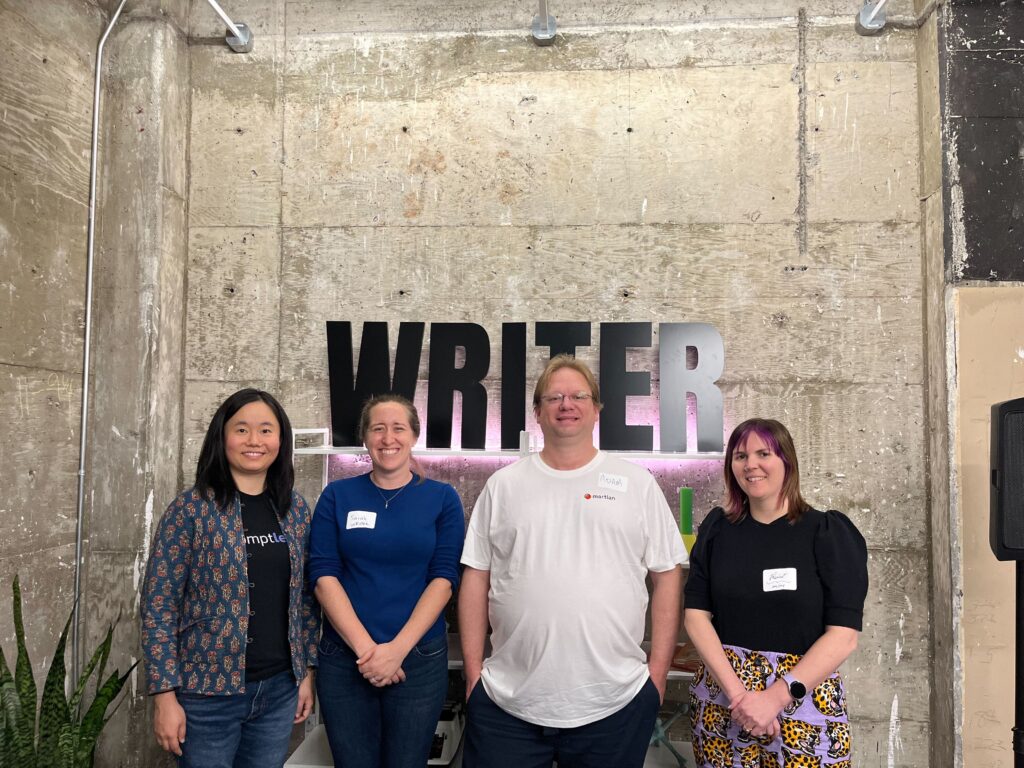
On October 23, 2025, Write the Docs Bay Area hosted an in-person meetup at WRITER HQ, sponsored by WRITER and organized by Words n Logic. The theme, How Do Today’s Technical Writers Get Things Done?, inspired an evening filled with practical insights, personal stories, and cross-functional discussions that connected documentation, AI, and teamwork. Each speaker explored a different aspect of “getting things done,” from using metrics to understand readers and measure documentation impact to applying AI as a creative partner and building scalable systems for collaboration. Together, their talks painted a picture of how documentation teams are evolving in the modern era. Today’s technical writers are not just producing content; they are building systems that connect people, processes, and information across entire organizations. This was my third in-person meetup of 2025, following Smarter Documentation: AI, Tools, and Modern Workflows. Like the earlier events, this session brought together professionals from technical writing, developer relations, and product management who shared how documentation influences user experience and product success. My long-term goal is to create TEDx-style events for technical writers, providing spaces where practitioners can collaborate, exchange ideas, and push the boundaries of what technical communication can be within enterprise technology. Below are a few photos and highlights from the October 23 event that capture the spirit of the evening. Write the Docs Bay Area event at WRITER HQ on October 23, 2025. WRITER swag displayed at the Write the Docs Bay Area event on October 23, 2025. Group photo of the speakers. From left to right: Frances Liu, Sarah Deaton, Adam Martin, and Renée Carignan. The theme of the event was “How Do Today’s Technical Writers Get Things Done?” In hindsight, I should have chosen a more engaging title, as I believe the generic name didn’t attract as much interest. Consider that a lesson learned for other organizers planning their own tech meetups.🙂 Each speaker explored the idea of “getting things done” from a unique perspective: Renée Carignan (Lead Technical Writer at Gem) demonstrated how metrics reveal the truth behind user engagement. Adam Michael Wood (Developer Relations at Martian) explained how AI can serve as a partner rather than a replacement for writers. Sarah Deaton (WRITER) shared how context engineering enables effective collaboration between humans and AI. Frances Liu (Co-founder of Promptless) closed the evening by outlining systems and habits that help unblock collaboration between technical writers, product managers, and subject-matter experts. The complete slide deck with extra speaker content is embedded below for you to explore. Here’s a brief summary of each talk along with thoughts of my top three findings. Speaker 1 – Renee Carignan Talk: Find the Frequency: Metrics for Better Docs and Happier Readers Role: Lead Technical Writer @ Gem | Ex-Heap, Ex-Pendo Renée Carrigan speaking at the Write the Docs Bay Area event on October 23, 2025. Summary of Renée’s Talk Renée Carrigan speaking at the Write the Docs Bay Area event on October 23, 2025. Renée Carignan’s session focused on how data-driven insights can transform documentation from guesswork into an evidence-based practice. She explained that tracking metrics isn’t about vanity numbers, but that it’s about understanding user behavior and improving the reader experience. Beginning with entry-point data (like Google Search Console and AI-bot queries), she explained how to analyze pageviews, heatmaps, clicks, search terms, and feedback surveys to identify where users struggle or disengage. Her central message: use the tools you already have, start small, and prioritize metrics that directly drive improvements to content and usability. Renée encouraged writers to “learn to love data” by setting a regular cadence for reviewing metrics, auditing their relevance, and always digging into the “why” behind user actions. Top 3 Highlights 1. Homepage Heatmaps for UX Insights Renée emphasized using heatmaps to visualize how users interact with the documentation homepage. By identifying which sections attract clicks and how far users scroll, writers can detect friction points and eliminate unnecessary elements. Example: Her team discovered most users stopped at category cards and removed everything below, improving navigation clarity. This is a low-effort, high-impact method that can be done with free trials of heatmap tools and immediately improves user experience. 2. Search Data Analysis to Uncover User Intent Analyzing internal search terms helps reveal what users are actually seeking in your docs and what they can’t find. Renée recommended tracking: Most common search terms over time to identify trending needs. Searches with no results, which often expose missing topics or confusing phrasing. Although 80 % may be noise, the remaining 20 % provide actionable insight. This is a practical, ongoing feedback loop for documentation improvement and content planning. 3. Feedback Surveys with Required Contact Info Renée’s team at Heap improved feedback quality by requiring an email field in their doc-feedback form. This allowed them to follow up directly with users, connect them to support, and identify recurring pain points. By combining quantitative ratings with qualitative comments, teams can map satisfaction to specific articles and prioritize updates. It’s a lightweight but powerful way to close the loop between documentation and user success. Speaker 2 – Adam Michael Wood Talk: Pros and Cons of GenAI for Docs Role: Tech Writer / Developer & Research Relations @ Martian | Ex-Google, O’Reilly, Facebook, Intel Adam Martin speaking at the Write the Docs Bay Area event on October 23, 2025. Summary of Adam Michael Wood’s talk Adam frames GenAI not as a push-button “agent” that replaces writers, but as a practical writing partner that boosts speed, reduces errors, and enforces planning when you set up good inputs and strong guardrails. He acknowledges real drawbacks (odd tone, verbosity, hallucinations in prose/code), then shows how to mitigate them with a prep->write->verify workflow: establish style and examples up front, structure prompts and scaffolds during drafting, and finish with testing/linting. The goal isn’t “set it and forget it,” but faster, cleaner docs with fewer lookups and mistakes, grounded in your team’s existing house style and codebase. Top 3 Highlights Treat LLMs as partners, not agents Don’t expect end-to-end automation; use
Host Checklist for Conference-Style Technical Meetups
This post comes from my personal notes on organizing conference-style technical meetups. My goal is to help other organizers—and myself—be as prepared as possible when planning future in-person events. Organizing a conference-style meetup requires managing countless small details, from coordinating logistics to communicating with sponsors. As a technical writer and tech enthusiast based in the San Francisco Bay Area, I’ve attended and hosted many meetups, and I’ve learned that preparation makes all the difference. This guide is designed to help current and future organizers plan smooth, well-run, in-person technical meetups featuring multiple speakers presenting on related topics. Below is a checklist of key questions to ask sponsors and venue partners before your next event. 1. Will food and beverages be provided? Food and drinks are standard for most in-person meetups. The go-to choice is usually pizza and canned beverages like LaCroix or soda—it’s economical, easy to order, and adds a casual, social vibe. You can order the day of the event through services like DoorDash or Uber Eats. As a general rule, one large pizza feeds three to four people. Check your RSVP list a day or two before the event to estimate how much food you’ll need. 2. Will the event be hosted at the sponsor’s office or another venue? It’s important to clarify early whether the sponsor is hosting the event in their own office or covering the cost of an external venue. This determines who your main point of contact will be for follow-up questions like: If the sponsor is a mid- to large-sized company with resources, it’s reasonable to ask for logistical support. If it’s a smaller company financing a rental venue, direct your venue-specific questions to the workplace or facilities manager of that space. You should also confirm: 3. What equipment will be provided? If your sponsor or venue has a workplace manager or facilities coordinator, here are the key questions to ask: If the event takes place at a coworking space or independent venue, confirm these details directly with the site manager. 4. Will a representative from the sponsor make an announcement? It’s good business etiquette to give a representative from the sponsoring company an opportunity to speak briefly about their organization. I usually schedule this right after attendees have grabbed food and had time to socialize, and just before the talks begin. It’s also helpful to know in advance who will be making the announcement so I can introduce them properly at the appropriate time. 5. How can we add more value for attendees and sponsors? Great speakers are always a plus. Food is a nice perk. But the real magic happens when attendees and sponsors feel engaged and inspired. Consider adding interactive or value-driven elements such as: These touches elevate the experience, create lasting impressions, and help strengthen relationships with both your audience and sponsors. Final Thoughts Running a conference-style technical meetup is a rewarding experience that builds community and fosters professional growth. With preparation, clear communication, and attention to detail, you can create an event that feels both professional and welcoming—one that attendees and sponsors will look forward to attending again.
Speaker Preparation Guide for Conference-Style Meetups
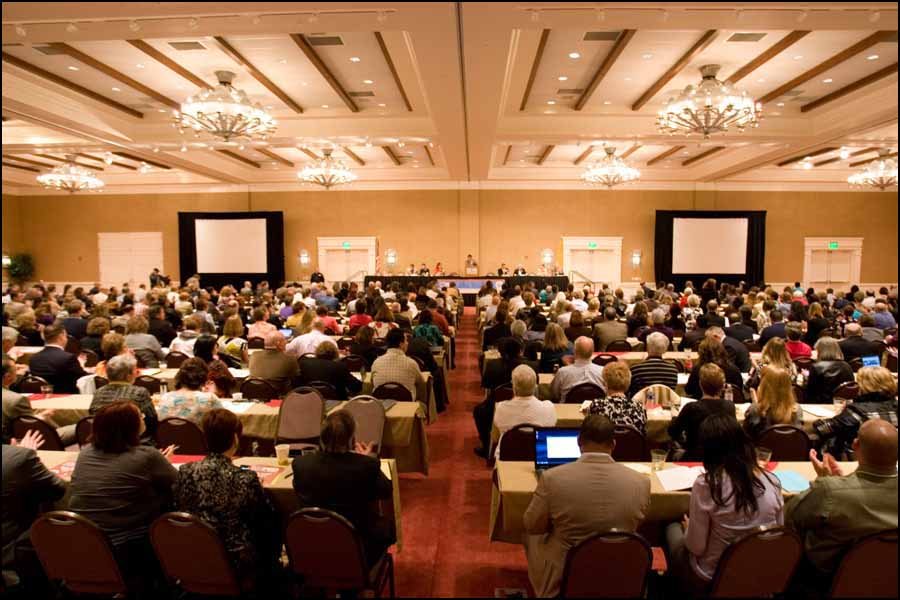
If you’ve ever spoken at a local meetup, you know the mix of excitement and mild panic that comes with it. Will your slides work? Will you go over time? Will anyone laugh at your icebreaker? Over the years, I’ve found that the most engaging events are those that follow a conference-style format—featuring multiple speakers, usually up to four. This setup gives more technical writers a chance to share their expertise while offering the audience a wider variety of topics and perspectives. But coordinating several speakers at once takes planning. Below is a guide I’ve refined through hands-on experience to make each event run smoothly from start to finish. Speaker Guide for Success 1. Avoid Live Demos Resist the temptation to open live software or code during your presentation. Things will go wrong—Wi-Fi drops, screens freeze, or windows pop up in the wrong place. Instead, record a screencast in advance and embed it in your slide deck. You’ll stay on time, minimize stress, and keep the audience focused on your story, not your mouse. 2. Upload Your Slides to the Shared Deck All presentations are managed through a Google Drive master deck. Add your slides to your assigned section so everything can be merged into one seamless file. This makes transitions between speakers effortless. 3. Test in Presentation Mode Before uploading, run your slides in full presentation mode. If you built your deck in PowerPoint, note that some effects don’t render the same way in Google Slides—especially 3D transitions, custom fonts, and complex animations. Testing early avoids last-minute surprises during your talk. 4. Rehearse Your Timing and Flow Practice out loud. A 15-minute slot disappears faster than you think. Rehearsing helps you fine-tune your pacing, identify awkward transitions, and ensure your story lands naturally within the time limit.If possible, run through your slides once standing up—it changes your energy and delivery. 5. Use the Provided Clicker You’ll receive a wireless clicker so you can move around freely and control your slides at your own pace.If you’re unfamiliar with it, ask for a quick demo before the session starts—muscle memory helps when you’re live. 6. Dress to Impress We’ll be taking photos and recording video throughout the event, so dress as you would for a conference or professional presentation. You don’t have to go formal—just clean, confident, and camera-ready. 7. Check Your Laptop Ports If your laptop doesn’t have a USB-C port, please notify the organizer in advance so the right adapters can be provided. 8. Enjoy Yourself If you’ve followed these steps, you’ve done the hard part. Take a breath, smile, and engage with your audience. Energy is contagious—and your excitement helps set the tone for the entire Final Thoughts Conference-style meetups give our community more opportunities to learn, connect, and grow. Whether you’re a first-time presenter or a returning speaker, your preparation helps create an event that’s both professional and enjoyable. So review the checklist, polish your slides, and bring your enthusiasm—I’ll handle the rest behind the scenes.
Write the Docs Bay Area — Smarter Documentation: AI, Tools, and Modern Workflows
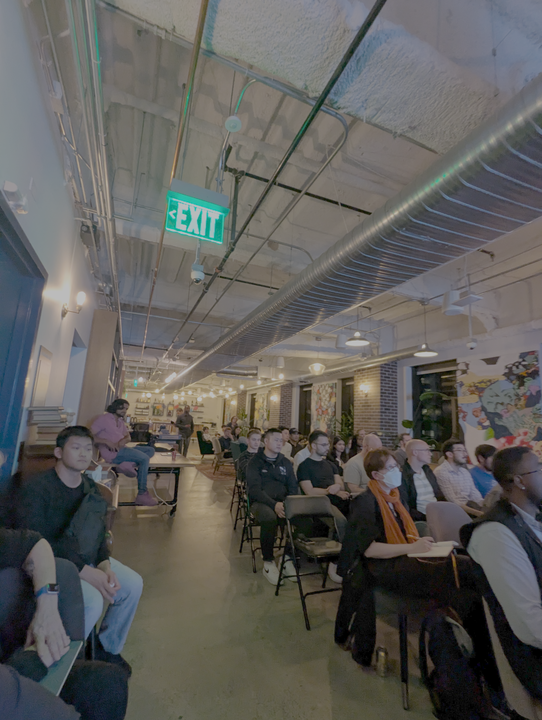
I recently organized my second in-person meetup for Write the Docs Bay Area and wanted to share a more in-depth recap here — not just a short LinkedIn post like I usually do. As a technical writer, I got involved with Write the Docs Bay Area to reignite the community of technical writing professionals in the San Francisco Bay Area. Since the pandemic, many local meetups have recovered, but Write the Docs Bay Area never fully restarted. At the beginning of 2025, I decided to volunteer and help bring it back. It’s been a rewarding journey — I’ve learned so much about building inclusive communities, event logistics, and connecting people around shared interests. Partnering with Promptless to Make the Event Possible Hosting in-person events in San Francisco isn’t cheap. If you’re planning a gathering with a room full of attendees, it’s worth finding sponsors to help cover venue costs, food, and other expenses like giveaways to encourage attendance. I was fortunate to partner with Promptless, a Y Combinator–backed startup building AI tools specifically for technical writers. Promptless integrates directly with everyday tools — from GitHub and Linear to docs generators and hosting platforms — to automatically propose doc updates as engineers open PRs or support teams resolve issues. They’re also offering a two-month trial for Write the Docs members who book a demo in October: https://promptless.ai/wtd Growing Momentum: 60+ Attendees and a Full House While I didn’t have a volunteer handling check-ins, we had 72 RSVPs and around 60 attendees at peak. The venue can fit 90 comfortably, and at one point nearly every seat was filled — a strong sign that the Bay Area’s technical writing community is eager to reconnect. It’s great to see so many writers, editors, and documentation leaders showing up to share knowledge, exchange ideas, and support one another as we all navigate how AI and new tools are changing our work. Three Takeaways From Every Talk We were happy to have four speakers share their insights and experiences with the community: Their talks explored how AI, automation, and structured workflows are redefining the role of documentation teams. The speakers also uploaded their presentations, available here: View slides on Google Drive. Manny Silva: Self-Healing Docs — How Agents Are Redefining the Docs Pipeline Manny Silva’s talk explored how self-healing documentation systems are already transforming how teams maintain API docs and developer portals. He walked through the shift from traditional CMS pipelines to Docs-as-Code, and now toward intelligent, agent-driven pipelines that can detect and fix issues automatically. 1. From Manual Maintenance to Autonomous Healing Manny reframed documentation upkeep as a continuous, automated process rather than a manual task. He showed how agentic AI systems can now detect, diagnose, and repair issues in real time — catching broken links, outdated examples, or API reference errors before users even notice. This “self-healing” cycle (detect → diagnose → repair → verify → report) moves teams from reactive maintenance to proactive reliability. 2. Bridging Docs-as-Code with Intelligent Automation He then traced the evolution from monolithic CMS platforms (like Adobe Experience Manager and SharePoint) to Git-based Docs-as-Code pipelines, which integrate authoring tools, CI/CD, and static site generators. The next frontier, Manny argued, is AI-driven integration — where autonomous agents monitor source content and APIs, proposing updates automatically to keep documentation synchronized with live systems. 3. Redefining the Writer’s Role in the AI-Powered Pipeline As these tools take over repetitive tasks, writers gain time to focus on higher-value work: designing better information architectures, improving developer experience, and shaping how content supports adoption. Manny emphasized that self-healing systems don’t replace writers — they amplify their impact, making documentation ecosystems more resilient and adaptive. Justina Nguyen: Using AI to Keep Documentation Fresh, Consistent, and Interactive The second talk came from Justina Nguyen, Head of Marketing at ReadMe, who discussed how her team uses AI to keep docs fresh, consistent, and interactive. She explored how AI linters, automation, and structured authoring enable teams to maintain alignment between documentation, product, and community — even as features evolve rapidly. 1. Documentation Is the Product Justina opened by reminding us that documentation defines how users experience your product. This framing elevates docs from support artifacts to strategic assets that drive adoption and trust. 2. The AI Linter as a Quality Partner To address challenges like outdated content or tone inconsistency, Justina introduced ReadMe’s AI-powered linter. Instead of replacing writers, the linter acts as a co-pilot that flags style issues, formatting errors, and missing context — ensuring brand consistency at scale. This “write first, polish with AI” model allows writers to prioritize clarity while automation handles cleanup and alignment. 3. Collaboration as the Heart of Scalable Docs Justina emphasized that documentation must evolve alongside product development. When teams treat docs as a shared responsibility, AI tools can streamline reviews, accelerate updates, and ensure accuracy across departments. The result is a living knowledge base that reflects real-time product behavior and fosters community trust. Sakshi Shah: When Docs Become Dialogue — AI-Powered Documentation Assistance Sakshi Shah, a Technical Writer with a background in Human-Computer Interaction, presented “When Docs Become Dialogue”, exploring how documentation now serves both human readers and AI systems. She showed how structured content and metadata improve chatbot accuracy and how writers can help AI deliver better answers. 1. Writers Now Create for Humans and Machines Sakshi reminded us: “We don’t just write for people — we write for machines.” AI assistants increasingly pull responses directly from docs, so writers must ensure content is modular, consistent, and self-contained. By designing content that AI can parse accurately, writers act as AI enablers, reducing hallucinations and mismatched answers. 2. Structuring Docs Like a Training Dataset Sakshi’s research methodology involved: My interpretation: Her approach treats documentation like a training dataset — one that must be structured, tagged, and tested to improve AI accuracy and reliability. 3. Collaboration Between Writers and Engineers Drives Better AI Improving AI assistance, Sakshi explained, requires teamwork. Writers must craft structured content, while engineers build ingestion pipelines